Speech
Add audio narration so learners can listen to the book.
Narration turns text into audio, so learners can listen to the book — essential for learners with visual impairments or reading difficulties, and valuable for anyone who learns better by listening.
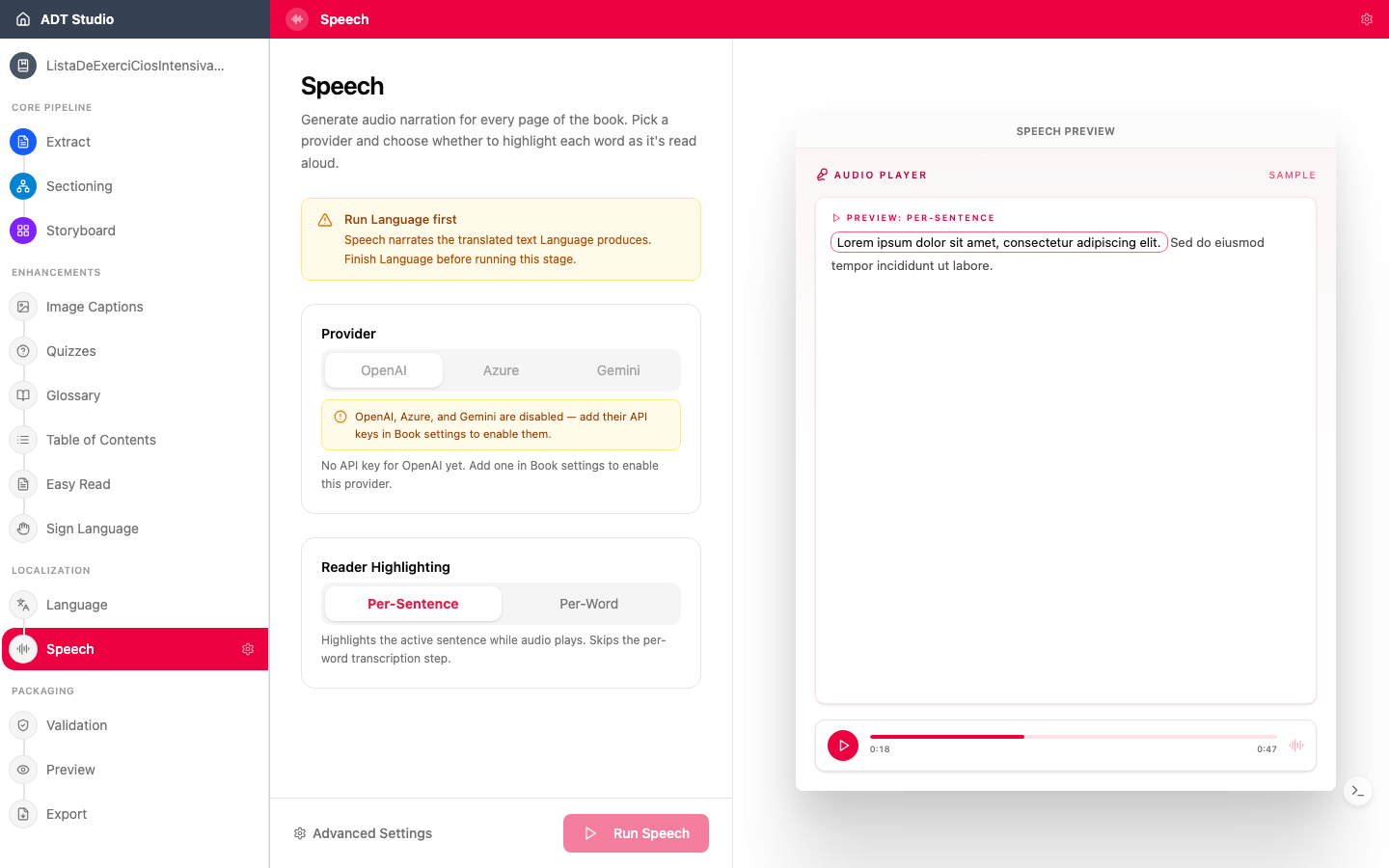
ADT Studio generates localized text-to-speech: natural narration in the right voice for each language of your ADT.
Decisions to make
- Which content is narrated? A Read-Aloud Content setting lets you include or exclude each category independently — page text, image captions, activity answers, glossary entries, and Easy Read text.
- Does the voice fit the audience and language? A voice that sounds natural in one language may not be available or appropriate in another. Listen to samples before generating the full book.
- Check the pronunciation of names and local terms. Text-to-speech can stumble on proper names, place names, and curriculum-specific vocabulary. Spot-check sections that contain them — or replace just that entry's audio (see below).
- Do readers need word-level highlighting? Turning it on calculates word timestamps automatically during generation, so the reader can follow along word-by-word as it's narrated.
Configure and generate
Speech needs your translated content ready first. Open the Speech stage and set a voice per language and provider, plus:
- Word-level highlighting — when enabled, word timestamps are calculated automatically as speech is generated. If you leave it off, you can still calculate timestamps manually later from the Speech view.
- Read-Aloud Content — toggle which categories of text get narrated at all.
Review, replace, and edit
Once narration is generated, browse entries per language, filter to just the ones still Missing audio, and preview each version with the version picker. If AI narration mispronounces a name or term, you're not limited to regenerating — every entry has an Upload your own audio file action (or Replace this audio file if one already exists), so you can substitute a manually recorded clip for that one piece of text without touching anything else.