Image captions
Give every meaningful image a description that works for learners who cannot see it.
For learners who are blind or have low vision, an image without a description is a hole in the content. This step generates image descriptions (alt text) for the figures in your book — context-aware descriptions that actually describe the image, informed by the surrounding content.
Decisions to make
- Which images carry meaning? Diagrams, illustrations, and charts need descriptions. Purely decorative elements do not — a description would only add noise for screen reader users.
- Is the description accurate and useful? AI-generated descriptions are a strong starting point, but you know the pedagogical intent of each image. Review them, especially where the image teaches something.
Configure and generate
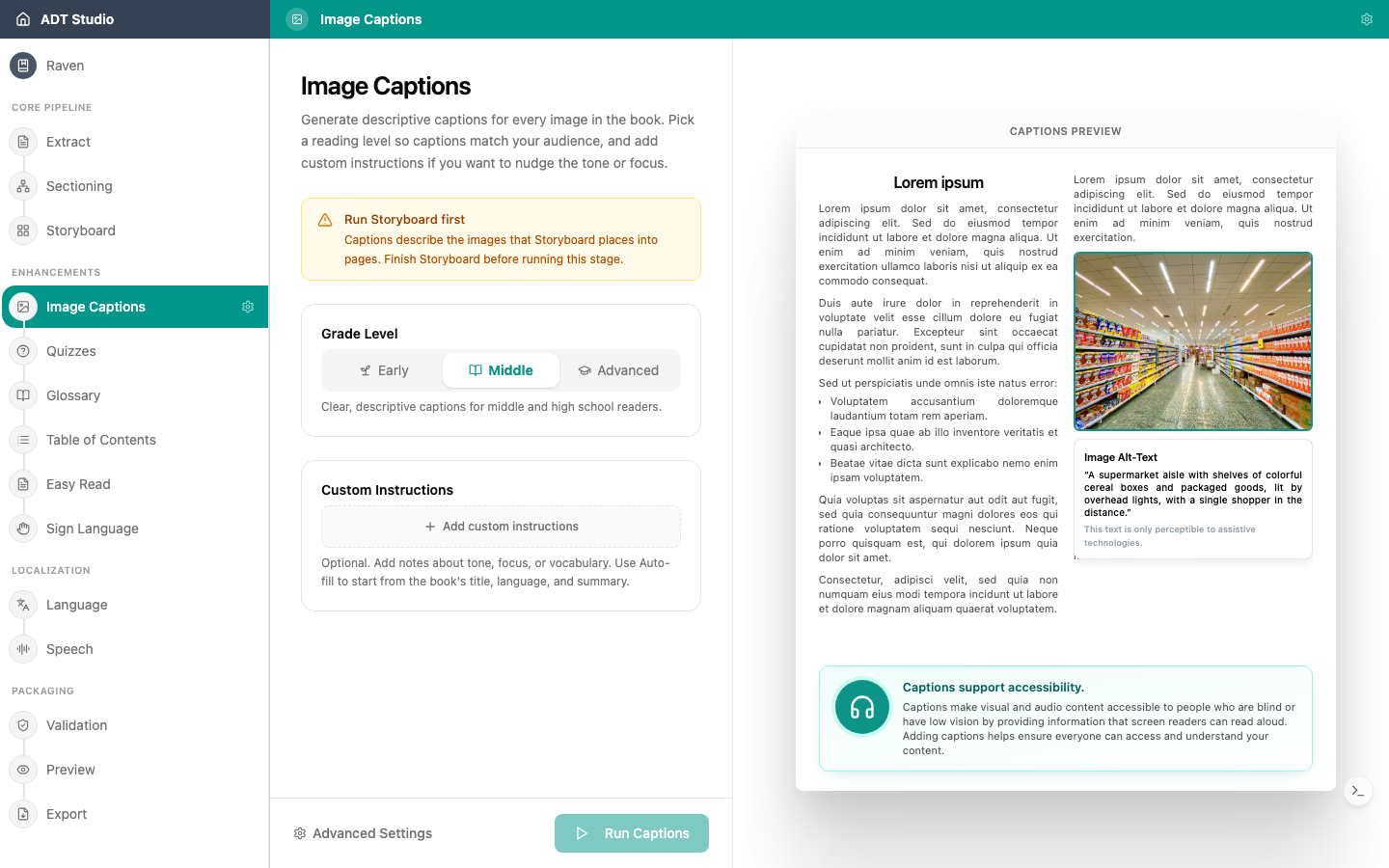
Captions need your book's pages laid out first — if Storyboard isn't finished yet, the stage tells you so instead of letting you run it. Once it's ready, open the Image Captions stage and set:
- Grade Level — Early, Middle, or Advanced — so descriptions match your audience's reading level.
- Custom Instructions (optional) — steer tone, focus, or vocabulary. Autofill drafts a starting point from the book's title, language, and summary.
A live sample preview on the right shows how a description reads before you run anything. When you're ready, select Run Captions.
Review and edit
Once captions are generated, every image becomes a card you can filter (All / Captioned / Decorative, each with a count), search by caption text or image ID, and jump between pages if the book has several. Select an image to open it full-size; select its caption text to edit it in place, with Esc to cancel and Cmd/Ctrl+Enter to save.
Marking an image Decorative is how you act on the first decision above — it excludes that image from screen readers entirely and clears the need for a caption. A small dot next to each image ID shows whether its caption came from the AI or from a manual edit, and the version picker lets you preview and restore an earlier draft.
A good image description
Answers the question: what would a learner miss if they could not see this image? Not more, not less.