Beneficiary Group
The Beneficiary Group model (shown as Payee Label in the UI and admin) controls the dynamic labeling used across the frontend UI. Each Program is linked to a BeneficiaryGroup, and the group's fields determine what labels users see on various pages.
Model Fields → Labels
| Model Field | Example value | Responsible for |
|---|---|---|
name |
"Household" | Shown in the Program form dropdown when selecting a beneficiary group. |
group_label |
"Household" | Singular group name — detail page titles, lookup dialogs, filter labels. |
group_label_plural |
"Households" | Plural group name — list page headers, tab labels, count labels. |
member_label |
"Individual" | Singular member name — detail page titles, lookup dialogs, filter labels. |
member_label_plural |
"Individuals" | Plural member name — list page headers, table headers, count labels. |
payee_type |
"Household" | The Payee Type the Payee Label belongs to. A program can only use a Payee Label of the Payee Type of its Data Collecting Type; the Payee Type also provides the GL code shown on the program. |
data_collecting_types |
full_collection |
Optional. When set, the Payee Label can only be used with these Data Collecting Types of its Payee Type. Leave empty to allow every Data Collecting Type of the Payee Type. |
active |
True / False |
Inactive Payee Labels cannot be chosen for new programs; programs already using them are not affected and can still be copied. |
Whether the UI shows a group → member hierarchy (e.g. Household → Individuals) or only members (e.g. Social Workers) is driven by the type of the program's Data Collecting Type, not by the Payee Label.
Admin Configuration
Beneficiary Groups are managed in Django Admin under Programme › Payee Labels. Changing a label value will immediately affect the frontend for all programs using that group.
⚠️ Warning: Renaming labels on an existing beneficiary group changes the UI for all programs linked to it.
Example: How Labels Are Used in the UI
Below are some concrete examples of where each field appears:
- Population list page header →
group_label_plural(e.g. "Households") - Population detail page title →
group_label+ entity ID (e.g. "Household: HH-001") - Members table header →
member_label_plural(e.g. "Individuals") - Grievance / Feedback lookup dialog →
group_label/member_label(e.g. "Household/Individual Look up") - RDI details tab →
group_label_plural(e.g. tab labeled "Households") - Program Cycle totals →
group_label_plural(e.g. "Total Households Count") - Search page filter labels →
group_label(e.g. "Household (ID)")
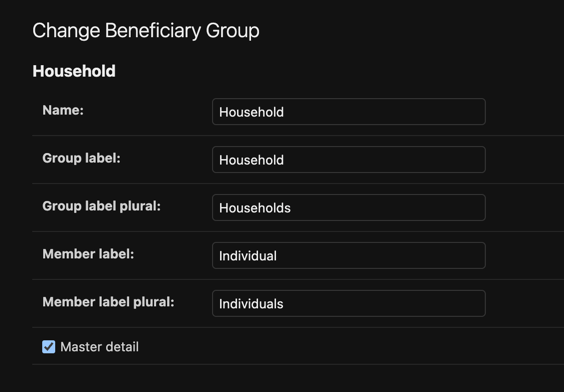
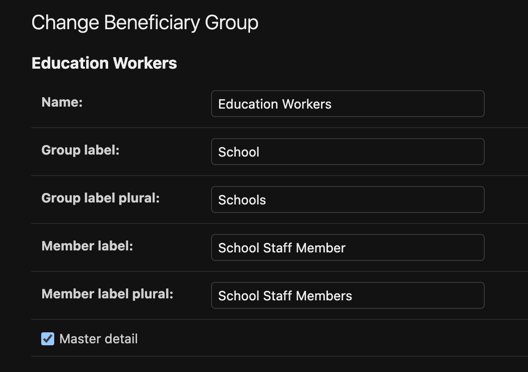
Example Usage: Household vs Education Workers Beneficiary Groups
Admin definition
| Household | Education Workers |
|---|---|
 |
 |
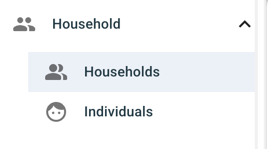
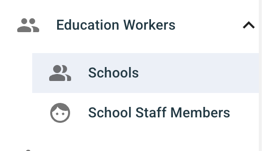
Sidebar menu
group_label as the menu item, expanding into group_label_plural and member_label_plural sub-items:
| Household | Education Workers |
|---|---|
 |
 |
Group list
Page title uses group_label_plural; table headers use group_label:
| Household | Education Workers |
|---|---|
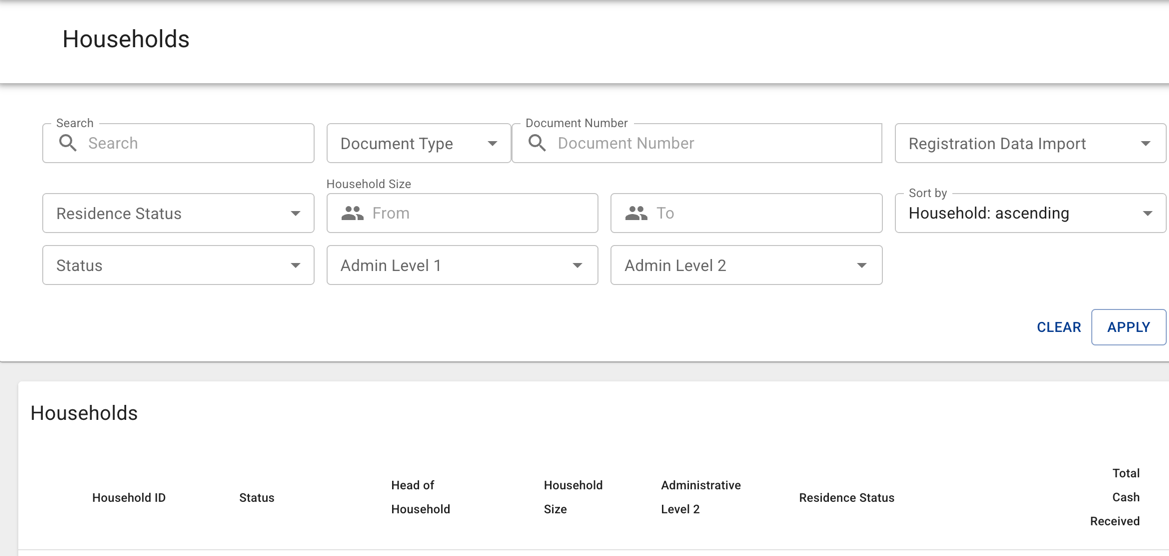 |
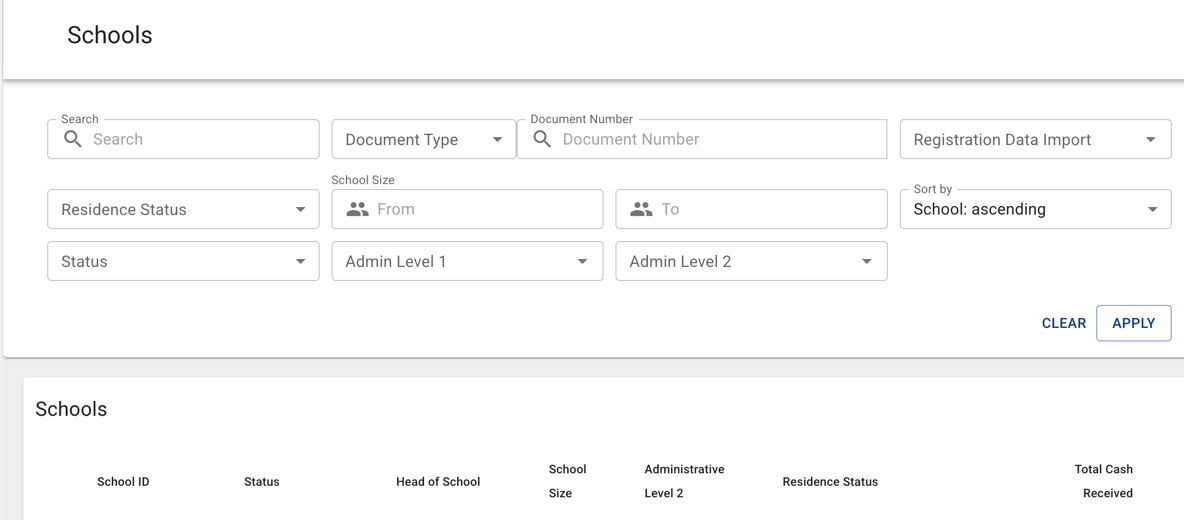 |
Group detail
Title uses group_label + ID:
| Household | Education Workers |
|---|---|
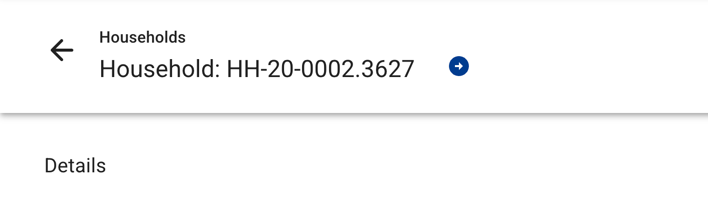 |
 |
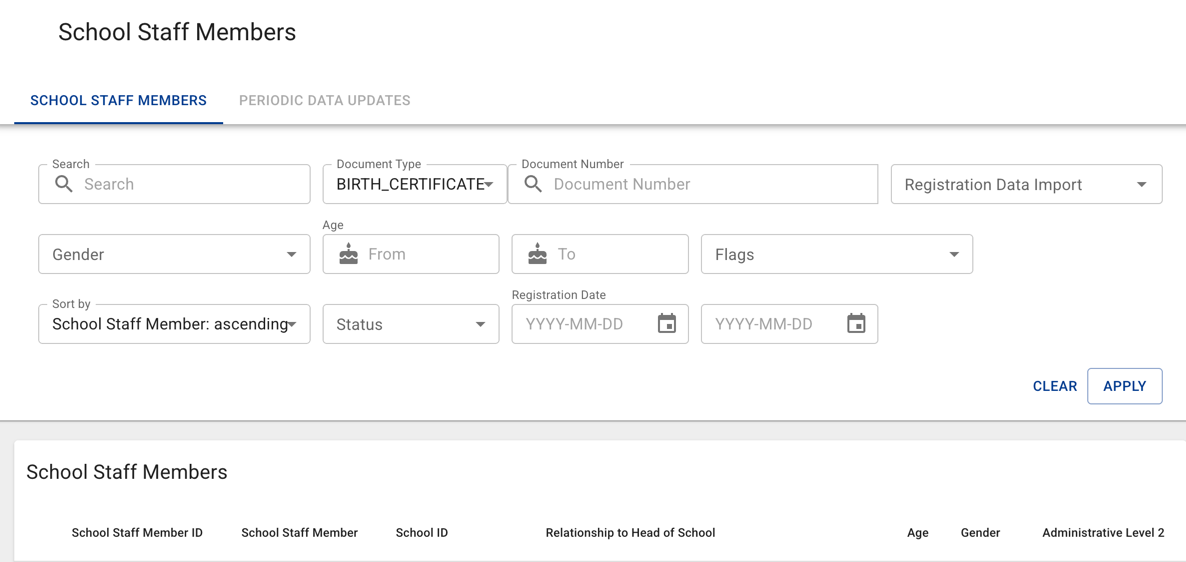
Member list
Page title uses member_label_plural; table headers use member_label and group_label:
| Household | Education Workers |
|---|---|
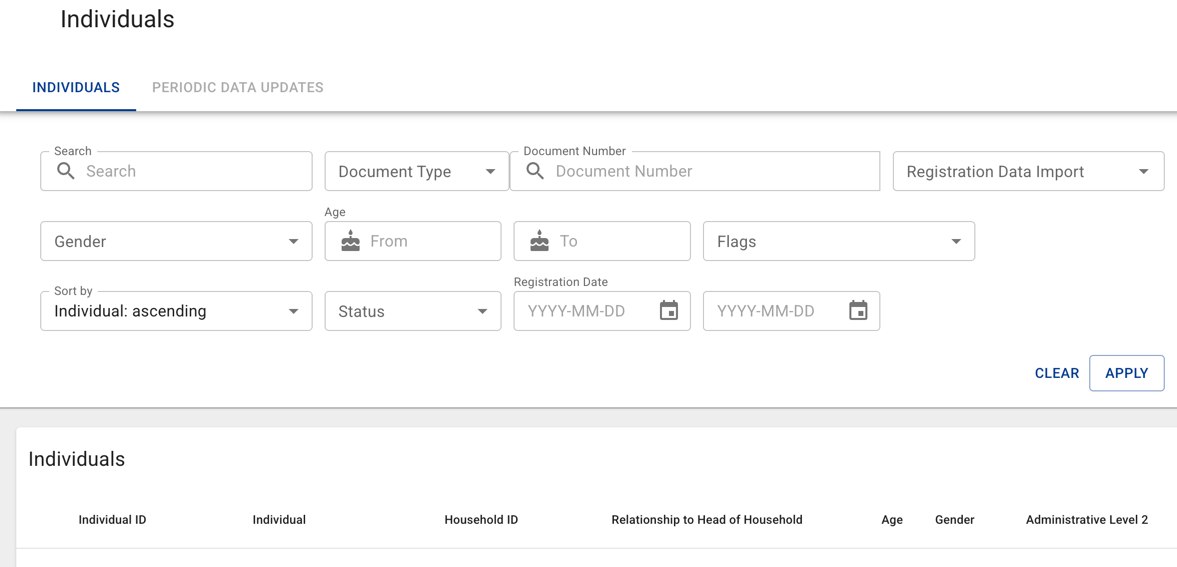 |
 |
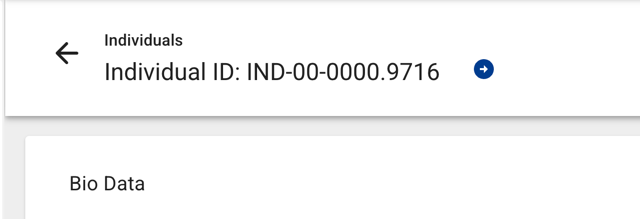
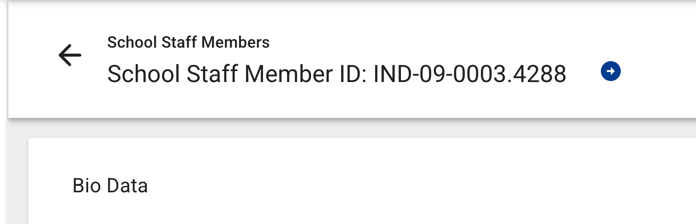
Member detail
Title uses member_label + ID:
| Household | Education Workers |
|---|---|
 |
 |
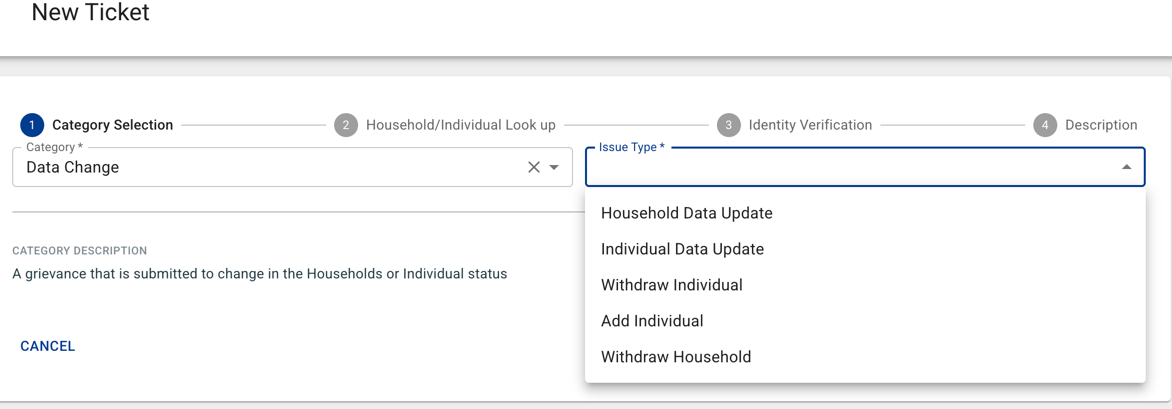
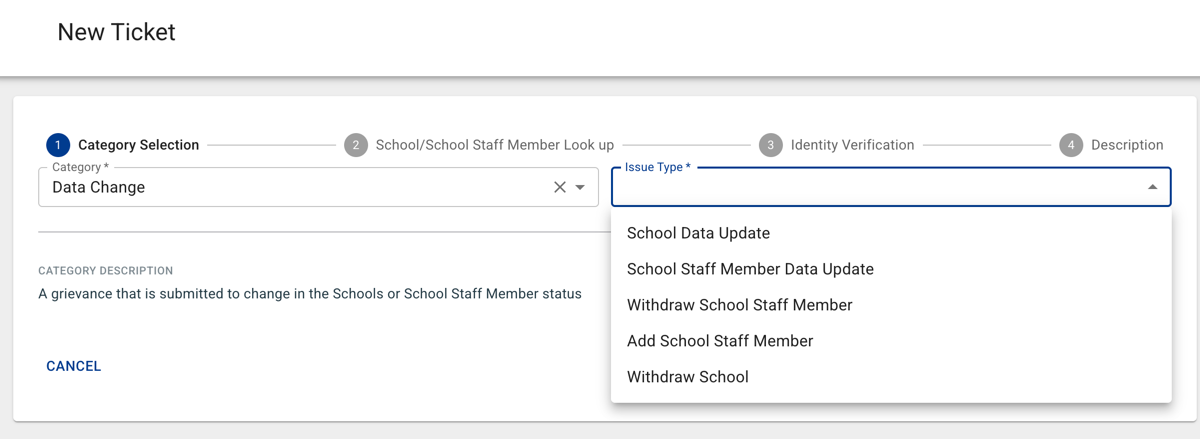
Grievance ticket creation
Categories use group_label and member_label (e.g. "Household Data Update" vs "School Data Update"):
| Household | Education Workers |
|---|---|
 |
 |
The same pattern applies throughout the application — wherever groups or members are referenced (e.g. targeting, RDI, program cycles, feedback, country search), the labels are driven by the same Beneficiary Group fields.