My Tasks
My Tasks is a page for the tickets that wait on you: the unassigned ones waiting for somebody with the right to assign them, the ones already assigned to you, and the ones sent for an approval you may give. Each has its own tab, so none has to be dug out of the Grievance Tickets list, and the tickets you have not looked at since somebody else changed them are marked as unread.
It is also where the My Tasks emails land when a recipient follows a link.
Getting there
The Grievance Tickets list carries a MY TASKS button in its page header:
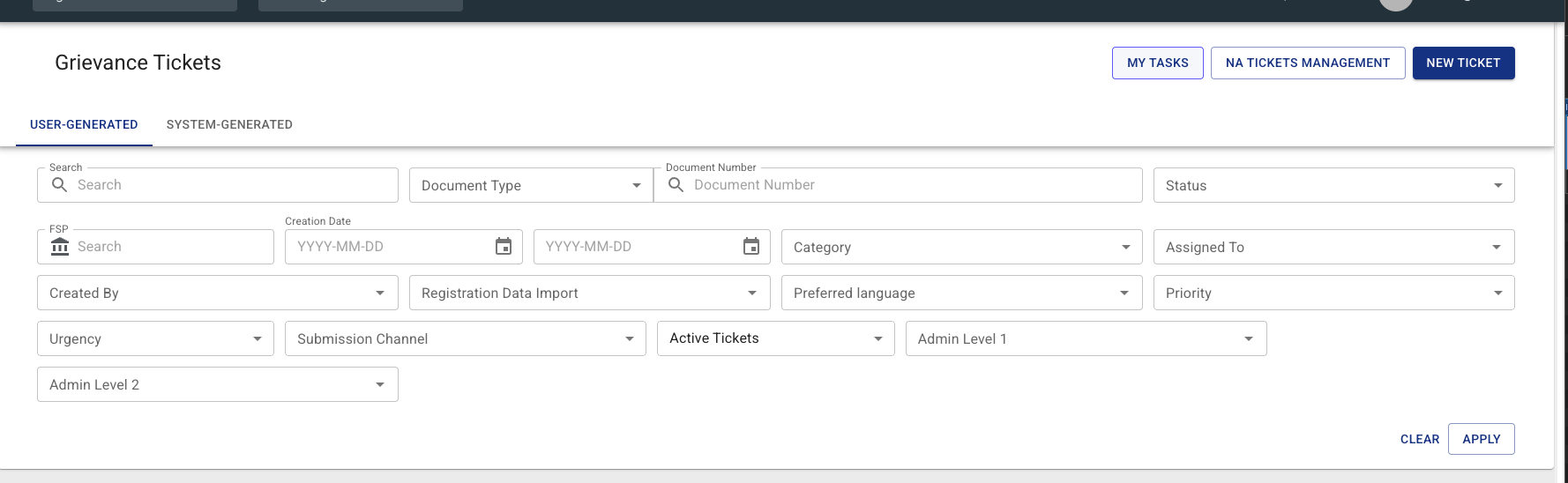
Works in both views
My Tasks opens in the All Programmes scope by default, because the tickets waiting for you can sit in any programme you have access to. Opened inside a single programme it lists that programme's tickets only, and the Programmes column disappears.
The three tabs
| Tab | What it lists |
|---|---|
| NEEDS ASSIGNMENT | Every active ticket with no assignee that you are allowed to assign |
| ASSIGNED TO ME | Tickets assigned to you |
| PENDING APPROVAL | Tickets in the For Approval status whose category you may approve |
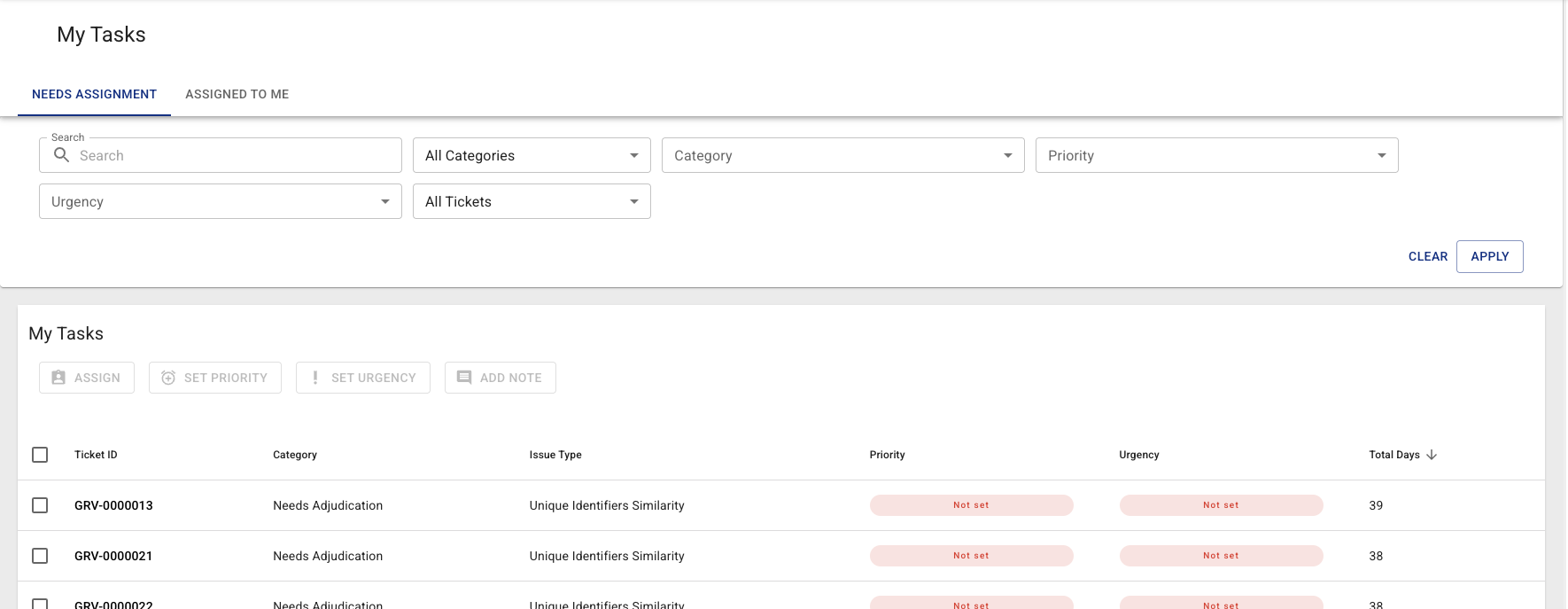
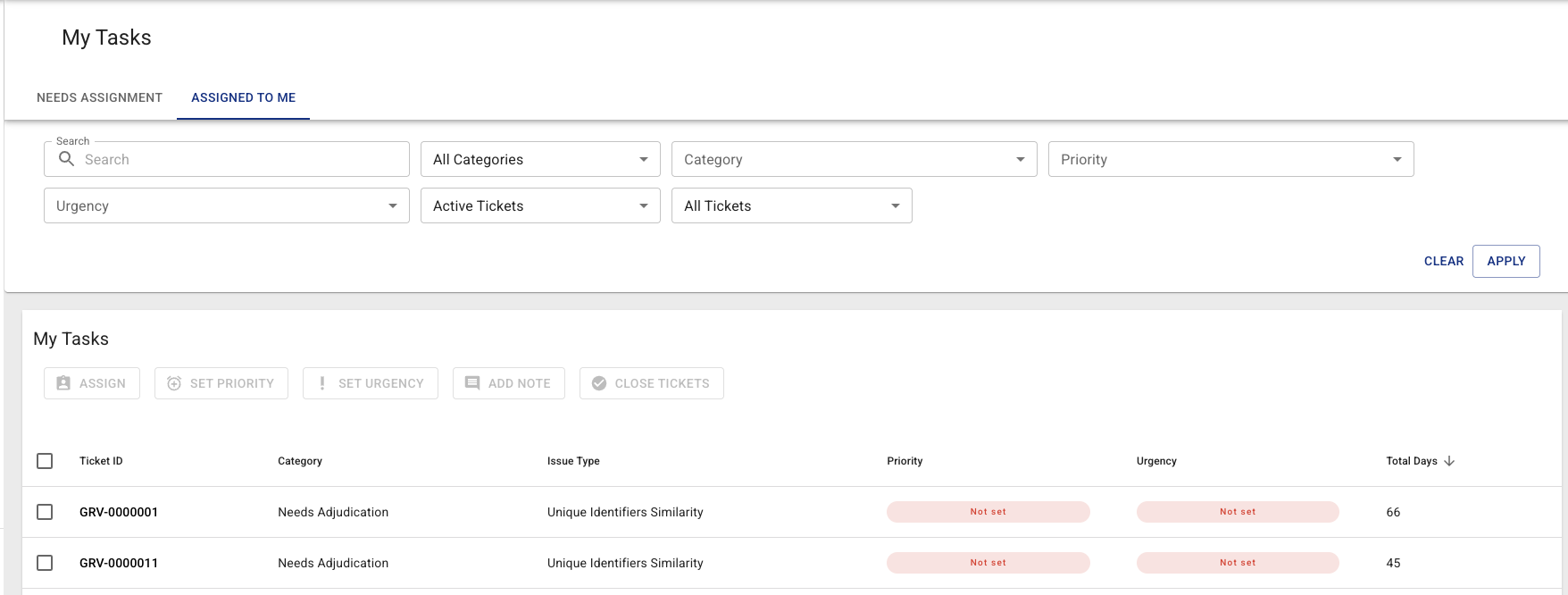
NEEDS ASSIGNMENT and PENDING APPROVAL list active tickets only, so they carry no ticket-status filter.
ASSIGNED TO ME shows active tickets by default; switch its status filter to All Tickets to include closed ones.
PENDING APPROVAL follows the approval grants per category: a ticket is listed when you hold the approve grant for its category in its programme, the "as creator" grant and you created it, or the "as owner" grant and it is assigned to you. Only tickets in an active programme are listed on any tab.
Switching tabs clears your ticket selection: a ticket ticked on one tab can never be carried into a bulk action on the other.
The sensitivity filter
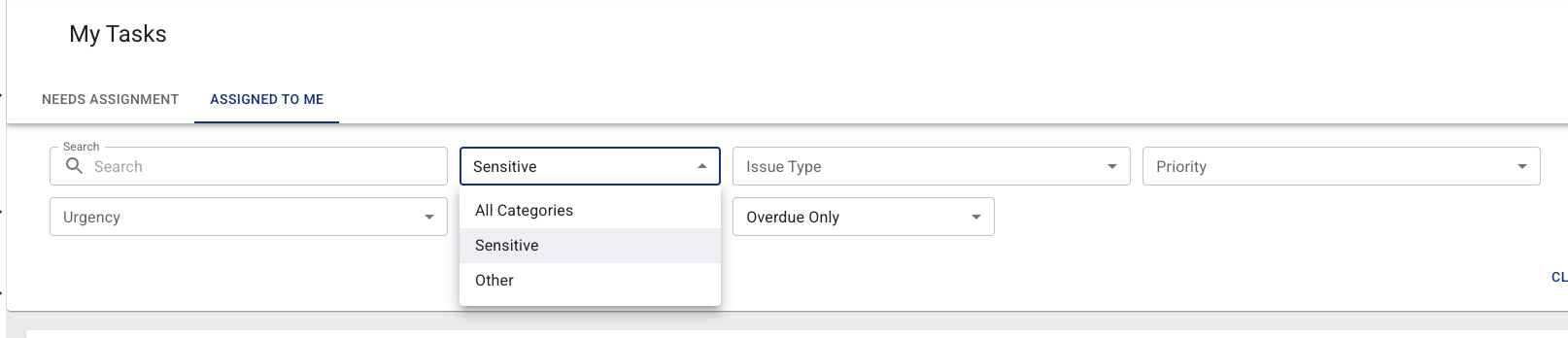
Both tabs carry a sensitivity filter:
| Choice | Shows |
|---|---|
| All Categories (default) | Everything you are allowed to see |
| Sensitive | Sensitive Grievance tickets only |
| Other | Everything except Sensitive Grievance |
The filter reshapes the Category list below it:
- On Sensitive the category is already settled, so the Category filter disappears and the Issue Type list is the sensitive one straight away.
- On Other the Sensitive Grievance option is removed from the Category list.
- On All Categories every category you may see is offered.
When the filter is not shown
Viewing sensitive and viewing non-sensitive grievances are two separate grants. A user who holds only one of them has nothing to choose, so the filter is hidden and the list is fixed to the half they may see.
The overdue filter
Overdue Only narrows the list to tickets past their due date. "Overdue" is measured from the ticket's creation date against a threshold that differs by category — one day for sensitive grievances, thirty days for everything else, both configurable. See Overdue thresholds.
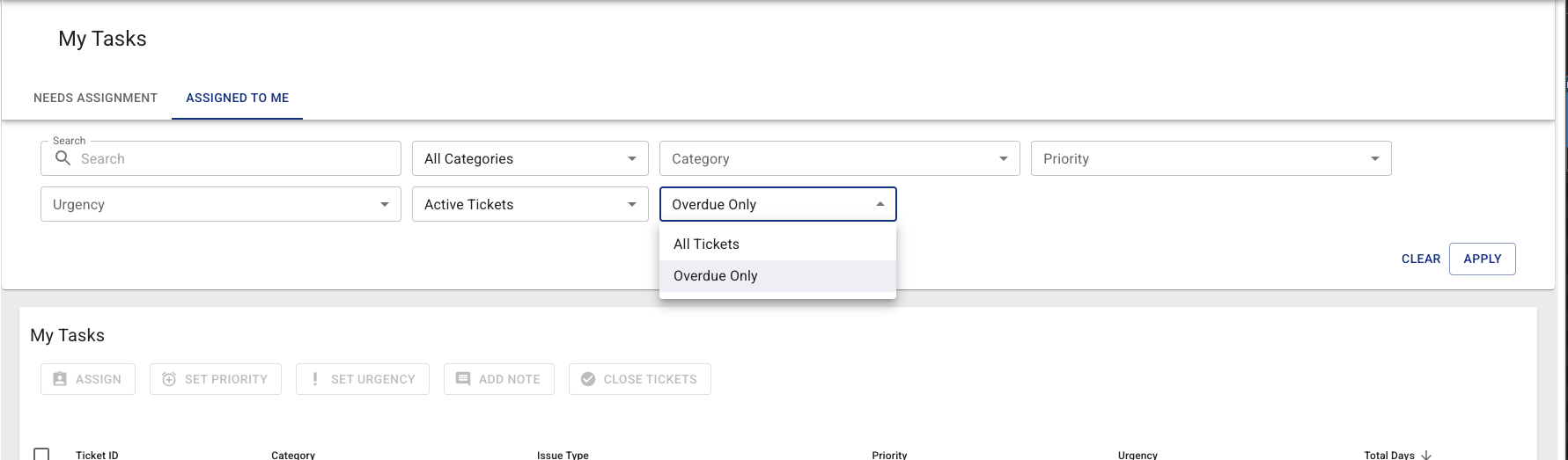
Clearing it returns the list to all tickets rather than to "not overdue".
The columns
My Tasks shows a narrower set of columns than the full ticket list: Ticket ID, Category, Issue Type, Priority, Urgency and Total Days. The assignee is left out because each tab already settles it. In the All Programmes scope a Programmes column is added.
The list is ordered by Total Days, longest-waiting first.
Unread tickets
A ticket is unread when somebody else created it, assigned it to you, edited it, changed its status or added a note after you last opened it. The full rule, and what never counts, is in What counts as unread.
| Where | What you see |
|---|---|
| Tab label | A dot while the tab holds an unread ticket |
| Row | A dot before the ticket ID and a tinted row |
| Only unread filter | Narrows the tab to its unread tickets |
| Mark all as read | Marks every unread ticket on the tab as read; disabled while the tab has none |
Opening a ticket marks it as read. Mark all as read covers the whole tab, not only the rows on the current page or matching the other filters. Opened inside a programme, the dots and Mark all as read cover that programme's tickets only, like the list.
Arriving from an email
The My Tasks emails link straight into this page, one link per tab holding an unread ticket. Opening the ticket, or Mark all as read on the tab, is what tells HOPE you have seen it: once nothing is unread the reminders stop, and the next email comes only once something else is waiting.
Permissions
| Tab | Required |
|---|---|
| NEEDS ASSIGNMENT | GRIEVANCE_ASSIGN and any grievance list-view grant |
| ASSIGNED TO ME | any grievance list-view grant |
| PENDING APPROVAL | any grievance approve or close grant and any grievance list-view grant |
Only the tabs you hold permissions for are shown, and the first of them opens by default. A user holding none of them does not get the MY TASKS button, and is refused the page if they open it directly.
NEEDS ASSIGNMENT is scoped to the programmes you may assign in, and PENDING APPROVAL to the programmes you may approve in. A programme you may only view has nothing on either tab for you to act on.